
When you open a family profile, a matrimony profile or a business listing, the first question in your mind is simple: is this person real? In our samaj, trust has always come from knowing the family. Kayastha Setu tries to bring that same feeling to your phone. In this guide we explain, step by step, how profiles are verified on Kayastha Setu, what each sign of trust means, and what you can do to make your own profile more trusted.
Why trust matters in a community app
Our families use Kayastha Setu to find relatives, look for a rishta, find a doctor in a new city or call a blood donor in an emergency. All of these need one thing first: confidence that the person on the other side is genuine. That is why the app is built with many layers of checking, from the moment you log in to the moment you tap Call.
Step 1: Sign up with your own mobile number and OTP
Every account on Kayastha Setu starts with a real mobile number. You enter your number, receive a one-time password (OTP) by SMS and type it in. There is no login with only an email or a made-up name. This simple step means that every member you find in the Family Directory is linked to a real phone number.
Step 2: Set your 4-digit Setu PIN
After OTP, the app asks you to set a 4-digit Setu PIN. You set it once, and every new login asks for it again. So even if someone gets hold of an OTP, they still cannot enter your account without the PIN.
Your account also works on one device at a time. If you log in on a new phone, the old phone is logged out, and the old phone shows on a map where the new login happened. If this was not you, you will know at once.
Forgot your PIN? There are three safe ways back in:
- A linked family member confirms it is really you.
- A selfie check done by the Kayastha Setu team.
- A 24-hour wait, which the phone that is already logged in can cancel.
Step 3: Complete your family profile honestly
A good profile has your photo, father’s name, city, occupation, blood group and other family details on one card. Fill these carefully. Members keep their own profile up to date, and changes are reviewed before they go live. This keeps the directory clean and accurate year after year.
Photos are also checked. Duplicate or fake accounts are caught by photo matching, and photos are checked for unsafe content. So please use a clear, recent photo of yourself.
Step 4: Choose your up-jaati and get it verified
On your profile you can pick your up-jaati (sub-community) — Srivastava, Mathur, Saxena, Bhatnagar, Nigam, Ambashtha, Asthana, Gaur, Karna, Kulshrestha, Suryadhwaj, Valmik and others. Your up-jaati shows as verified in any of these three ways:
- Your father’s profile on the app matches yours.
- Other members vouch for you.
- The Kayastha Setu team verifies it.
The easiest way is to bring your family on board. Ask your father or an elder to join, and connect each other in the Family Tree. From any profile in the directory, others can jump to the family tree and see how people are related — just like asking “aap kiske bete hain?” in person.
Step 5: Get the blue Verified badge
Premium members show a blue Verified badge on their profile, posts and comments. It gives extra trust at a glance. Premium costs ₹149 per month (GST included) and also unlocks the full Family Directory, Matrimony, Astro AI and posting jobs. Free members can still see 3 full directory contacts per day.
If you do community seva, you can also apply as a volunteer. Once the team approves your application, you get a volunteer badge on your profile and free Premium.
How to check a profile before you connect
When you look at someone else’s profile, here is a simple checklist:
| What to look for | What it tells you |
|---|---|
| Blue Verified badge | The member is on Premium and shows extra trust |
| Verified up-jaati | Confirmed by father’s profile, vouching or the team |
| Linked family tree | You can see real relatives connected to them |
| Volunteer badge | Their seva has been reviewed and approved |
| Complete details | Photo, city, occupation and family filled in |
Extra checks in Matrimony and Marketplace
Some sections have their own review. In Matrimony, every profile is approved by the admin team before it appears, and chat opens only when both sides accept the interest. In the Marketplace, businesses are reviewed before they go live. Room and PG listings come from verified members.
Stay safe while you talk
Trust also means feeling safe. Kayastha Setu helps here too:
- In-app calls hide mobile numbers, so you can speak without sharing your number.
- You can block calls from anyone who bothers you.
- Every post can be reported, and foul language is filtered on the timeline.
A simple rule for families: talk first inside the app, check the badges and family links, and involve elders before sharing personal details.
A small request to every member
Trust grows when everyone takes part. Keep your profile updated, link your family, vouch only for people you truly know, and report anything that looks wrong. Each honest profile makes the whole directory more useful for the next family.
We built Kayastha Setu so that finding your own people feels as safe as meeting them at a family function. Complete your profile today, bring your parents and cousins on board, and help us keep the samaj connected with trust. Thank you for being part of the Kayastha Setu family.
Find any Kayastha family by name, city or profession — your community address book.
Explore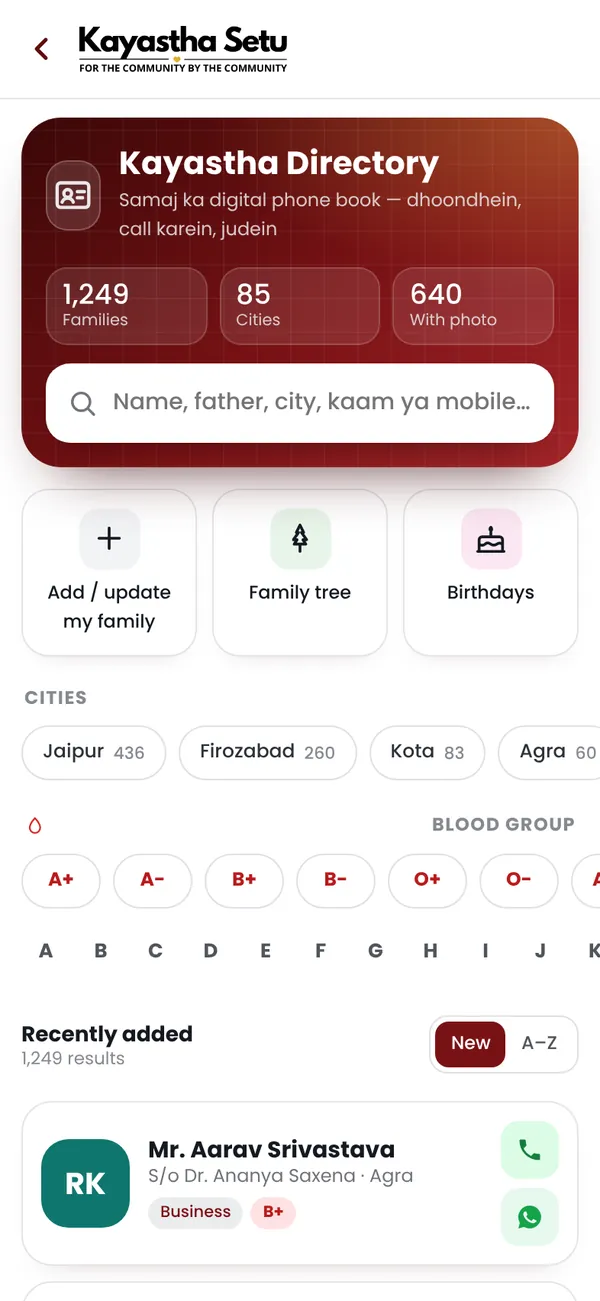
Frequently asked questions
How are members verified on Kayastha Setu?
Every account is created with a real mobile number and OTP, and every new login also asks for a 4-digit Setu PIN. Profile changes are reviewed before they go live.
How does my up-jaati show as verified?
It shows as verified when your father's profile matches, when other members vouch for you, or when the Kayastha Setu team verifies it.
What is the blue Verified badge?
Premium members show a blue Verified badge on their profile, posts and comments. Premium costs Rs 149 per month, GST included.